
Candy Land Casino’s Android access is designed for players who want to browse casino games on a phone rather than remain at a desktop. For UK players‚ the main questions are practical: does the mobile site work smoothly‚ can you find games and account options easily‚ and what should you check before depositing? This review looks at the Android experience‚ with a focus on navigation‚ gameplay‚ payments and responsible use. Availability and features can vary‚ so check the casino’s current terms and local requirements before registering.
Accessing Candy Land Casino on Android
Players may be able to use Candy Land Casino through a mobile browser or a dedicated Android application‚ depending on what the operator currently offers. Do not assume that an app listed under a similar name is official. Follow links from the casino’s verified website‚ check the publisher and permissions‚ and avoid unofficial download pages. If no official app is available‚ the mobile website can provide a more straightforward route without installing extra software.
On a recent Android device‚ the site should be usable in a modern browser with JavaScript enabled and a stable internet connection. A responsive layout typically adapts menus‚ game tiles and account controls to a smaller screen. Results can still differ across handsets and browsers: older devices may load animations slowly‚ while restrictive privacy settings can interfere with sign-in or payment pages;
First Impressions and Navigation
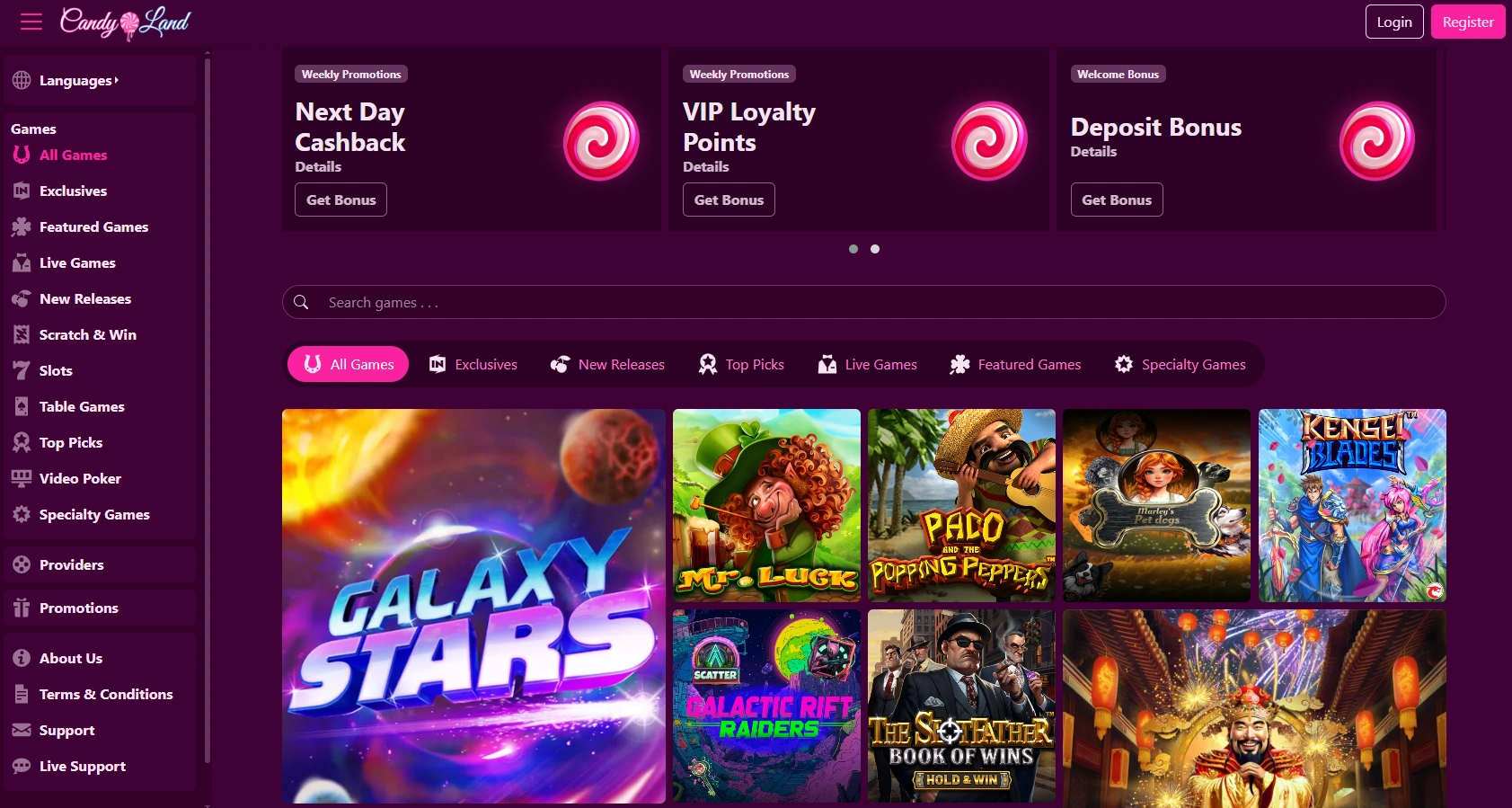
The mobile experience is most useful when the essential sections are easy to locate. Look for clear routes to the game lobby‚ promotions‚ cashier‚ account settings and customer support. Game categories and search tools matter more on a phone because scrolling through a large catalogue can become tedious. If the menu is crowded‚ use filters or search rather than opening titles one by one.
Before playing‚ read the rules and paytable for the specific game; The mobile format should not change a game’s core mechanics‚ but small controls can make it easier to tap the wrong option. Use a comfortable screen orientation‚ check the displayed stake before confirming a spin or hand‚ and avoid playing while distracted.
Installation and security checks
- Use the operator’s verified website or an official app-store listing‚ if one exists.
- Check the app publisher‚ recent update date and requested permissions.
- Keep Android and your browser updated‚ and use a screen lock on your device.
- Avoid public Wi-Fi when entering account or payment details.
- Never share your password or one-time verification codes with another person.
Games and Mobile Play
A casino lobby on Android can include slots‚ table games and other titles‚ though the actual selection depends on the operator and its suppliers. A game that appears in a desktop catalogue may not be available in the mobile lobby‚ and some providers may restrict access by location. Check the game’s information panel for its rules‚ features‚ stake range and return-to-player information where supplied.
Touchscreen play is convenient for short sessions‚ but it is not a reason to play faster or increase stakes; Animation and sound can make a game feel more engaging than it is; outcomes remain governed by the game’s design‚ not by how often you tap. Set a spending limit before starting and stop when you reach it. If the game offers autoplay‚ consider whether using it fits your limits and local rules.
Payments‚ Verification and Withdrawals
Payment options and processing times can change. The cashier is the best place to confirm which methods are currently available to UK customers‚ along with minimum deposits‚ withdrawal limits‚ fees and any applicable processing windows. Use a payment method in your own name‚ and keep records of deposits and withdrawals. A deposit appearing quickly does not guarantee that a withdrawal will be processed at the same speed.
New customers should expect identity and account checks. Read the operator’s terms to understand what documents may be requested‚ how they can be submitted securely and whether additional checks apply to a particular payment method. Complete the authentication steps before first payout by following the casino’s official instructions. Do not send identity documents through social media or an unverified email address.
Before accepting a promotion‚ review its wagering requirements‚ eligible games‚ contribution rates‚ expiry date and maximum withdrawal conditions. Bonus terms can affect how much of a balance is available to withdraw. If the conditions are unclear‚ ask customer support before opting in rather than assuming that a promotional balance works like cash.
Responsible Play and UK Considerations
UK players should check that an online casino is appropriately authorised to serve them and understand which company operates the site. A familiar brand name or polished mobile layout is not proof of a licence. Review the operator’s legal information‚ terms and privacy policy. If you cannot confirm who is responsible for the service‚ or the rules are difficult to find‚ consider not opening an account.
Use available safer-gambling tools‚ such as deposit limits‚ time reminders‚ cooling-off options or self-exclusion. Features differ between operators‚ so check the account settings and responsible-gambling pages. Gambling should remain entertainment‚ not a way to earn income or recover losses. If play is affecting your finances‚ relationships or wellbeing‚ stop and seek support from an appropriate UK service.
Mobile Access: Strengths and Limitations
- Convenience: A phone can provide access to the lobby and account features without a computer.
- Flexible browsing: Search and category tools can make it easier to find a particular title.
- Variable performance: Loading speed depends on the device‚ browser and connection.
- Small-screen risks: Compact controls may make account details and game rules harder to inspect.
- App uncertainty: An official Android app may not be available in every region or at every time.
Questions and Answers
Is there an official Candy Land Casino Android app?
Availability can change. Check the casino’s verified website or an official app store for a listing from the correct publisher. If the operator directs players to its mobile website‚ use that instead of downloading an app from an unknown source.
Can I play without installing an app?
If the casino offers a responsive mobile website‚ you may be able to sign in and play through a supported Android browser. Game availability can vary‚ and some titles may require a newer browser or device.
Why might a game fail to load?
Common causes include a weak connection‚ an outdated browser‚ blocked scripts‚ device compatibility or location restrictions. Try updating the browser‚ closing unused tabs and checking the casino’s help pages. Do not bypass geographic or account restrictions.
How can I protect my account on a phone?
Use a unique password‚ enable any additional verification offered‚ keep your device updated and avoid sharing access. Sign out on a shared device‚ and contact the operator through its official support channel if you notice unfamiliar account activity.
Verdict
Candy Land Casino’s Android appeal depends on the quality of its current mobile website or official app‚ the games available to a player’s location and the clarity of its account and payment processes. A phone offers convenient access‚ but it does not remove the need to check licensing‚ read promotion terms or protect personal information. UK players should verify the operator’s status‚ confirm the exact download source‚ and test navigation before depositing. If the mobile experience is clear and reliable‚ it can be practical for casual play; if important terms or support details are difficult to find‚ take that as a reason to pause.