Hell Spin Casino App Download APK for NZ Players: A Practical Review


For New Zealand players looking for a mobile casino‚ an app can make browsing games and managing an account more convenient. Hell Spin is commonly accessed through a mobile-friendly website‚ while APK availability may depend on the operator’s current distribution options and the device being used. Before downloading anything‚ check the casino’s official site directly: an APK found through an unrelated download page may be outdated or unsafe.

This review looks at how NZ players can approach mobile access‚ what to check before registering‚ and what to expect from the casino experience. Availability‚ payment methods‚ bonuses and game selections can change‚ so treat the information below as a checklist rather than a guarantee of current offers.

Mobile access: APK or browser?

An Android APK is an installation file used to add an app outside the Google Play Store. Some online casinos distribute Android apps this way‚ while others provide a responsive website that works in a phone browser. The browser option can be simpler: it usually avoids changing Android security settings and may provide access to the same account and games without installing a separate application.

If Hell Spin offers an APK for your region‚ follow only instructions provided on its official website. Confirm that the download page belongs to the casino‚ review the app’s requested permissions‚ and check the version and update information. Never install a file sent through an unsolicited message or hosted on a third-party download site simply because it uses the casino’s name.

Basic checks before installing

  • Use the casino’s official website and confirm that it is accessible in your location.
  • Read the installation and account terms‚ including any age and identity requirements.
  • Review Android permissions and avoid granting access that does not make sense for a casino app.
  • Keep your operating system and security software up to date.
  • If you cannot verify the file‚ use the mobile website instead.

For iPhone users‚ an Android APK is not compatible with iOS. Use the casino’s mobile website or any official iOS option it may provide. Do not install configuration profiles or other software from unofficial sources to imitate an app.

What the mobile casino experience is like

Hell Spin Casino App Download APK for NZ Players: A Practical Review

A casino site on a phone should make it straightforward to sign in‚ browse games‚ check account details and reach customer support. Hell Spin’s mobile experience may include slots‚ table games and live-dealer titles‚ depending on the current catalogue and the player’s location. Game providers and availability can vary‚ so use the lobby’s filters or search function to confirm that a particular title is accessible.

Performance depends on more than the app or website. Internet connection‚ phone model and the game itself all affect loading times and stability. Live-dealer games‚ in particular‚ use more data than many standard slots. If you are playing on mobile data‚ check your plan and consider using a secure Wi-Fi connection.

Mobile convenience should not come at the expense of account security. Choose a unique password‚ avoid saving login details on a shared device‚ and sign out when finished. If the casino offers extra account-protection features‚ review how to enable them.

Registration‚ verification and payments

Before creating an account‚ read the site’s terms to confirm who operates the casino‚ what countries it accepts‚ and what rules apply to deposits and withdrawals. Players should be of legal gambling age and should provide accurate registration details. The casino may ask for identity or address documents‚ particularly before processing a withdrawal. Completing verification early can help avoid delays later.

Payment options can change and may depend on the account‚ location and currency. Check the cashier for the methods currently available to New Zealand customers‚ along with minimum and maximum transaction amounts‚ processing times‚ fees and any currency conversion charges. A method that accepts deposits does not always support withdrawals‚ so review both directions before choosing it.

Promotions can also have conditions that are easy to overlook. Read the wagering requirement‚ eligible games‚ contribution rates‚ maximum bet‚ expiry date and withdrawal restrictions before opting in. If any term is unclear‚ contact support and save the answer for reference.

Advantages and points to consider

  • Convenient access: A mobile site or verified app can make it easier to visit the casino away from a desktop.
  • One account: Mobile access generally lets players use their existing account rather than start over.
  • Game variety: The lobby may offer several categories‚ though the selection can change by region.
  • Download caution: APK files require more care than simply opening a website in a browser.
  • Terms matter: Bonus rules‚ payment limits and verification requirements should be checked before depositing.
  • Availability is not assured: Access and features may change‚ and a casino may not be suitable or available to every NZ player.

Playing responsibly on a phone

Mobile access makes it easy to play at any time‚ which can make personal limits especially important. Decide in advance how much time and money you can afford to spend‚ and stop when you reach either limit. Gambling should be entertainment‚ not a way to make money or recover losses.

Use responsible-gambling tools where available‚ such as deposit limits‚ time reminders‚ cooling-off periods or self-exclusion. If gambling is affecting your finances‚ relationships or wellbeing‚ take a break and seek support. New Zealand residents can contact Gambling Helpline services for confidential assistance.

Questions NZ players may have

Does Hell Spin provide an APK for New Zealand?

That depends on the casino’s current offering and regional access. Check the official Hell Spin website for an app link or mobile instructions. If no verified APK is listed‚ use the mobile browser rather than searching for an unofficial copy.

Can I use the casino without downloading an app?

If the website is available to you‚ a mobile browser may provide access without an installation. Open the official site‚ sign in securely and check whether the games and account functions you need work on your device.

Is it safe to install an APK?

No download is automatically safe. Only consider a file linked from the casino’s verified website‚ check its source and permissions‚ and keep your device protected. Avoid third-party APK libraries and files shared through social media or messaging apps.

What should I check before making a deposit?

Confirm the operator’s terms‚ age and location requirements‚ available payment methods‚ withdrawal rules‚ verification process and bonus conditions. Do not deposit until you understand the applicable limits and requirements.

Final verdict

Hell Spin may suit NZ players who want casino access on a phone‚ but the best route depends on whether the operator currently provides a verified app in the region. A mobile browser is a practical alternative and avoids the extra risks associated with installing an APK from an uncertain source. Check the official site for current availability‚ review the fine print before registering or depositing‚ and use responsible-gambling tools from the outset.

NZ Hell Spin Casino New Zealand Official

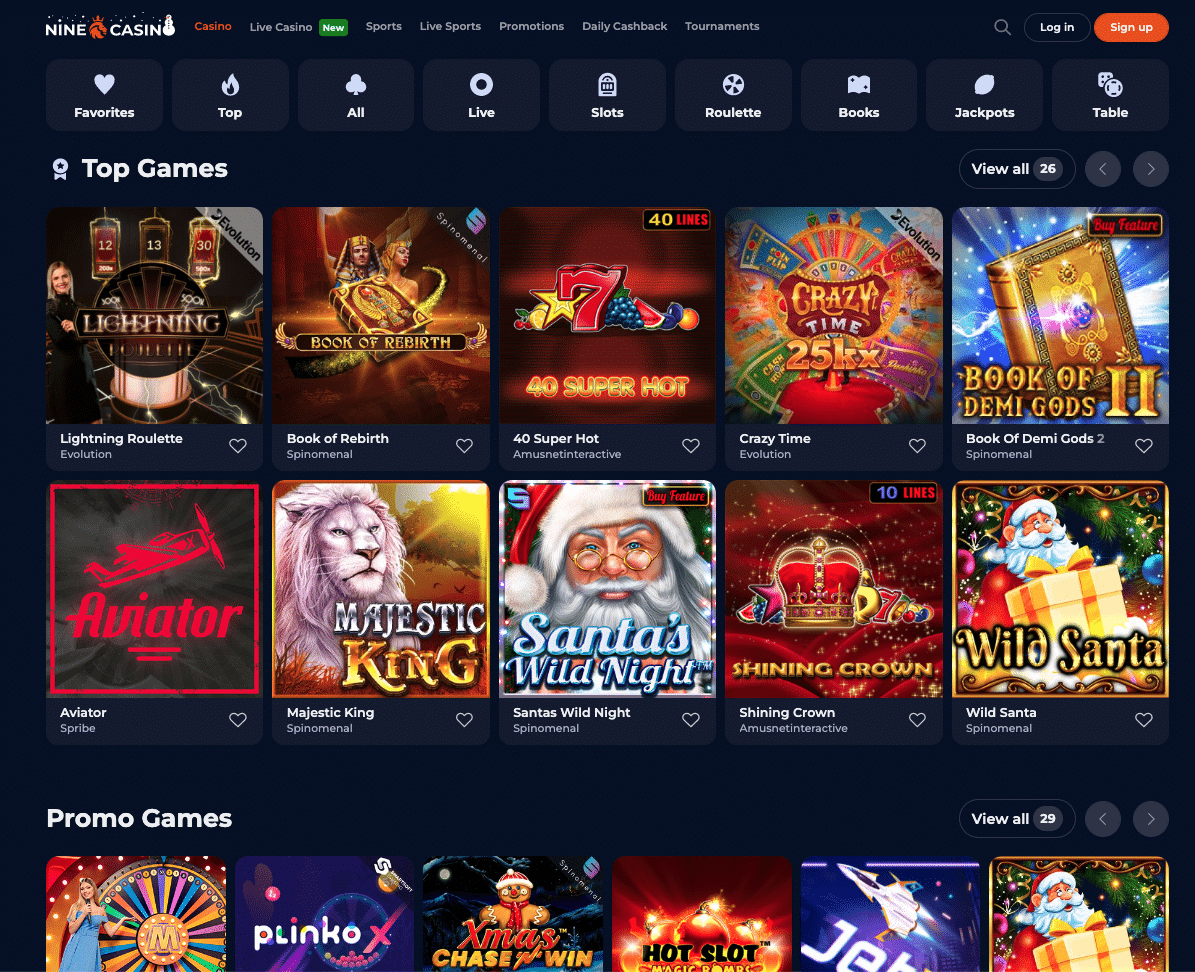
How to Withdraw from Nine Casino to the UK: A Practical Guide


Withdrawing from an online casino should be straightforward, but the process can vary by payment method, account status and the operator’s current rules. This guide explains how UK players can approach a withdrawal from Nine Casino, what to check before requesting one, and how to deal with common delays. Payment options and processing times can change, so confirm the details shown in your account and the casino’s terms before depositing or playing.

Before you request a withdrawal

First, make sure you are using the official Nine Casino website and that the account details are accurate. The search phrase nine casinouk official app may help you locate information, but it is not proof that a particular app or site is genuine. Use a trusted route to the operator, check the web address carefully, and avoid installing software from unfamiliar links or adverts.

Sign in and review the cashier or payments page. It should show the withdrawal methods available to your account, any minimum or maximum limits, and the currencies supported. Do not assume that a method advertised elsewhere is available to UK customers. If a payment option is missing, ask support before making a deposit rather than relying on an old review or a third-party listing.

Complete account verification

Casinos commonly ask customers to verify their identity and payment details before approving a first withdrawal. Depending on the operator’s policy, you may be asked for proof of identity, proof of address, or evidence that you own the payment method used. Provide documents only through the secure account area or another channel confirmed by official support. Never send passwords, full card details or one-time security codes in response to an unsolicited message.

Use clear, current documents and ensure that the name and address match the account information. If something does not match, contact support and ask what is required before submitting several versions of the same document. Verification can take longer when images are incomplete, expired or difficult to read.

How to make a withdrawal

How to Withdraw from Nine Casino to the UK: A Practical Guide

  1. Log in to your Nine Casino account using the official website or an official application, if one is currently offered for your device and location.
  2. Open the cashier and select the withdrawal section.
  3. Choose an available method. Check that it is one you can access and that its details match the payment information registered to your account.
  4. Enter the amount and review any displayed fees, limits or processing estimates.
  5. Confirm the request and save the confirmation or reference number, if provided.
  6. Monitor the account and your payment provider. Contact support if the request remains pending beyond the time stated in the cashier or terms.

Some operators may return funds to the original deposit method where possible. If the cashier offers a different route, read the instructions carefully and ask support to explain any restriction before proceeding. Do not submit repeated withdrawal requests to try to speed things up; duplicate requests can complicate the review.

Processing times and possible delays

A withdrawal may pass through more than one stage: casino review, identity checks, payment processing and the receiving bank or provider’s own handling. The time displayed by the casino may refer only to its part of the process, not the full period before funds appear in your account. Weekends, public holidays, additional checks and provider processing can affect the overall wait.

If a request is delayed, check its status in your account first. Look for messages asking for documents, confirmation or updated payment details. If there is no clear explanation, contact support with the withdrawal date, amount, method and reference number. Keep the conversation polite and save a copy of the reply.

Common reasons a request may be held

  • Identity or payment verification is incomplete.
  • The payment method does not belong to the account holder.
  • Account details are inconsistent or require correction.
  • A bonus or promotion has conditions that have not been met.
  • The requested amount is outside the method’s limits.
  • The casino or payment provider is conducting a security review.

Do not try to bypass a check by opening another account or submitting someone else’s payment details. That can create further account problems and may make it harder to resolve a legitimate withdrawal. Ask the operator to state what is needed and where to provide it securely.

Bonuses, wagering rules and cashout eligibility

If you accepted a bonus, review its terms before requesting a withdrawal. Promotions can include wagering requirements, eligible games, contribution rates, maximum bet rules, expiry dates or a cap on winnings. The exact conditions depend on the offer, so check the terms attached to your own account rather than relying on general advice.

Also check whether a bonus is still active. Some casinos require you to finish wagering or forfeit the bonus before cashing out; other rules may apply. If the balance includes both deposited funds and bonus funds, ask support to explain which part is withdrawable and whether cancelling an offer would affect the balance. Keep screenshots or a saved copy of the terms shown when you opted in.

Choosing a payment method carefully

The best method is not necessarily the one with the fastest headline estimate. Consider whether it is available to UK residents, whether your account can receive payments through it, what limits apply, and whether the name on the payment account matches your casino profile. Some providers may impose their own fees or restrictions independently of the casino.

Before depositing, check the cashier’s current options and terms. If you have already deposited by one method, do not assume you can withdraw by another without approval. When in doubt, ask support to confirm the permitted route in writing. This simple check can prevent an avoidable hold later.

Keeping your account and money secure

Use a unique password and enable any additional account security features available. Sign out on shared devices, keep your email account secure, and avoid using public Wi-Fi when sending documents or managing payments. Treat messages that promise to “release” a withdrawal in exchange for an extra payment with caution. Verify any request through the official account or support channel.

Responsible gambling matters alongside payment security. Set a budget before playing and do not treat a pending withdrawal as a reason to continue gambling. If gambling stops being enjoyable or you find it difficult to control, use the site’s available limit-setting or self-exclusion tools and seek support from a recognised UK service.

Frequently asked questions

How long does a Nine Casino withdrawal take?

There is no single time that applies to every withdrawal. The cashier and terms should provide the current estimate for each method. Account checks and the receiving provider can add time, so distinguish between the casino’s processing stage and the arrival of funds.

Why is my withdrawal still pending?

It may be awaiting routine processing, verification or a response to a request for information. Check your account messages and contact support with the request details if the status has not changed within the stated period.

Can I withdraw before completing a bonus?

That depends on the terms of the offer and your account status. Review the promotion’s wagering requirements and ask support what would happen if you cancel it. Do not assume that all funds are immediately available for withdrawal.

What should I do if I entered the wrong payment details?

Contact support immediately and explain the error. Do not submit another request until the first one is clarified. Whether details can be corrected depends on the payment method and the request’s status.

Is an app required to withdraw?

No specific app should be necessary if the operator provides an account cashier through its official website. If Nine Casino offers an app for your location, verify its authenticity and availability through the operator’s own channels before installing it.

When to escalate a problem

If support cannot explain a delay, keep a dated record of the withdrawal request, relevant terms, verification submissions and all replies. Ask for a clear explanation of the current status and any action needed from you. Follow the casino’s formal complaints procedure if the matter remains unresolved, and retain copies of the final response and supporting documents.

UK players should also check that they understand the operator’s licensing and complaint information before gambling. The relevant details should be available through the casino’s official terms or footer. If you are uncertain about an operator’s status or your options, consult authoritative UK consumer or gambling guidance rather than relying on promotional claims.

Final checklist

  • Confirm you are using Nine Casino’s genuine website or verified application.
  • Check the current withdrawal methods, limits and estimated processing times.
  • Complete identity and payment verification through secure channels.
  • Read the terms of any bonus connected to your balance.
  • Save the request confirmation and contact support with specific details if needed.
  • Never pay an unknown person or share security codes to “unlock” a withdrawal.

A careful approach can reduce avoidable delays: verify your account early, choose a supported payment route, understand the applicable terms and keep a record of your request. Because payment options and policies can change, the cashier and current Nine Casino terms are the best places to confirm the exact steps for your UK account.

Cairns Casino Bonuses: What Australian Players Should Know

Online casino promotions often follow a familiar pattern: a welcome offer for new players, followed by reload bonuses for returning customers. At Cairns casino Australia, the promotions available can change, so check the casino’s own terms to confirm what is currently offered and who is eligible.

A welcome offer may involve a deposit match, bonus funds or free spins. Reload bonuses are generally aimed at existing players and may be linked to a qualifying deposit or a particular game. These offers can come with minimum deposits, expiry dates and other conditions, so don’t assume every promotion works the same way.

Wagering requirements explain how many times bonus funds, and sometimes the bonus plus deposit, must be played through before winnings can be withdrawn. For example, a requirement may apply only to bonus funds. Check the wording carefully, including which games count and whether different games contribute at different rates.

  • Confirm eligibility and any minimum deposit.
  • Check wagering rules, expiry dates and withdrawal limits.
  • See whether the offer must be activated and which games qualify.

Read all promotion terms before claiming a bonus. If a condition is unclear, contact the casino for clarification and only opt in if the requirements suit your budget and playing preferences.

How to Deactivate Your Jackpot City Account: A Canadian Player’s Guide


If you’re thinking about stepping away from online gambling, closing or deactivating your account can be a practical first move. This guide explains how Canadian players can request account deactivation at Jackpot City, what to check before contacting support, and how to consider safer alternatives such as a temporary break or a formal self-exclusion request. Account options and procedures may vary by province and by the terms that apply to your account, so confirm the details directly with Jackpot City.

What “deactivation” can mean

Players sometimes use “deactivate,” “close,” and “self-exclude” as if they were interchangeable. They can describe different actions. A temporary time-out may block access for a set period, while permanent closure may end access indefinitely. Self-exclusion is a more formal responsible-gambling measure and may come with specific rules about reopening an account or creating another one.

Before making a request, decide what you need. If you only want a short break, ask whether a time-out is available and how long it lasts. If gambling is causing financial, emotional, or relationship problems, ask about self-exclusion and consider contacting a support service as well. Don’t assume that deleting an app, unsubscribing from emails, or changing a password deactivates the account.

How to request account deactivation

How to Deactivate Your Jackpot City Account: A Canadian Player’s Guide

  1. Sign in, if it feels safe and manageable. Use the official Jackpot City website or app, rather than a link in an unsolicited message. If you can’t sign in, you can still contact support and explain that you need help with account access and closure.
  2. Find the official support channel. Look for the current contact options on Jackpot City’s website. These may include live chat, email, or another support method. Availability can change, so rely on the site’s current information.
  3. State your request clearly. Tell support whether you want temporary deactivation, permanent account closure, or self-exclusion. If you are unsure which option fits, ask them to explain the differences before you confirm.
  4. Complete any required verification. The operator may need to confirm your identity to protect your account. Provide information only through an official, secure channel, and don’t send passwords or full payment-card details.
  5. Ask about your balance and pending transactions. Confirm how to withdraw any remaining eligible funds, whether pending withdrawals will continue, and whether any documents are needed. Don’t make additional deposits while the request is being handled.
  6. Request written confirmation. Keep a copy of the support conversation or confirmation email, including the date and the type of restriction applied. Check that the effective date and any end date are clear.

Here is a sample message you can adapt:

“Please deactivate my Jackpot City account. I am requesting [a temporary time-out / permanent closure / self-exclusion]. Please confirm when the restriction takes effect, explain how any remaining balance or pending withdrawal will be handled, and let me know whether further steps are required. Please also confirm that I will not receive promotional messages during this period.”

Before you send the request

Review your account and payments

Check for pending withdrawals, unsettled transactions, and any payment method that may need attention. Save relevant account statements or transaction records for your own files. If a withdrawal is pending, ask support whether closure affects its processing and what documentation might be required. Account closure does not necessarily cancel a payment already in progress.

Also review subscriptions or payment arrangements you manage separately from the casino account. Deactivating a casino profile may not automatically cancel a bank-card arrangement or any third-party service. If you see an unfamiliar charge, contact your financial institution through its official channel and ask about the appropriate next steps.

Be specific about marketing

If you want to stop promotional emails, texts, or other messages, include that request. Marketing preferences and account status can be separate settings. You can also use the unsubscribe link in a legitimate promotional email, but treat account closure and marketing opt-outs as distinct requests and ask support to confirm both.

Protect your login and personal information

Never share your password, one-time verification code, or complete card number with someone claiming to be support. Use the contact information displayed on the official site. If you suspect someone else has access to your account, tell support that the request is also about account security and change passwords on any related email account you control.

Questions Canadian players often ask

Can I deactivate my account through the app?

App features can change, and the option may not be available in every version or jurisdiction. Check the account settings for responsible-gambling or account-management tools. If you can’t find the option, contact support through the official website or app and request the restriction directly.

Will I be able to reopen the account later?

That depends on the type of restriction and the applicable terms. A temporary time-out may end after a defined period, while self-exclusion may have stricter conditions and a longer duration. Ask support about the consequences before choosing. If you have requested self-exclusion, don’t try to bypass it by opening another account.

What happens to my balance?

Ask Jackpot City to explain how eligible remaining funds and pending withdrawals are handled under the rules that apply to your account. Keep records of the request and any response. If there is a dispute, use the operator’s stated complaint process and consult the relevant provincial regulator or consumer-protection resources for guidance.

Does uninstalling the app close my account?

No. Removing an app from your phone only removes the software from that device. It does not, by itself, confirm account closure, block access through a browser, or apply self-exclusion. Contact the operator and request the specific measure you want.

Temporary break, closure, or self-exclusion?

A short break may suit someone who wants to pause play without making a permanent decision. Account closure may be preferable if you no longer want to use the service. Self-exclusion is worth asking about when you want a stronger barrier, particularly if you are finding it difficult to stop. The right option is personal, but the request should be explicit so support does not apply a different measure than you intended.

For a stronger break, consider combining account restrictions with practical steps outside the casino. Remove saved payment details where appropriate, use device-level blocking tools, and ask your bank whether it offers gambling transaction controls. These measures may vary in availability and may not block every form of gambling, so treat them as additional safeguards rather than a substitute for formal self-exclusion.

Getting help in Canada

If gambling is affecting your wellbeing, you don’t have to handle it alone. Support services differ by province and territory. You can contact a local problem-gambling helpline or provincial health service, speak with a licensed counsellor, or ask someone you trust to help you follow through on your plan. If you feel at immediate risk of harming yourself or someone else, contact emergency services in your area.

It can help to make the next step concrete: send the account request, save its confirmation, and tell a trusted person that you’re taking a break. If you’re worried you may return to gambling before the restriction takes effect, reach out to a support service while you wait rather than relying only on willpower.

A practical checklist

  • Choose whether you want a time-out, permanent closure, or self-exclusion.
  • Use an official Jackpot City contact channel.
  • Ask about identity verification, remaining funds, and pending withdrawals.
  • Request that promotional communications stop if that is part of your plan.
  • Save written confirmation and any relevant transaction records.
  • Consider additional safeguards and local support if gambling is causing harm.

Taking a moment to make a clear request can prevent confusion later. The review of jackpot city mobile app is less important than choosing an account restriction that matches your needs and confirming that it has been applied. For the most accurate instructions, check the current Jackpot City account tools and support information for your province, and ask the operator to put the details of your request in writing.

Angebote, Umsatzbedingungen und Regeln der Boni von Boho Casino 2026

Bei BohoCasino erhalten Spieler regelmäßig Free Spins für ausgewählte Slots, zum Beispiel für aktuelle Neuveröffentlichungen oder beliebte Klassiker. Bei BohoCasino erhalten aktive Spieler regelmäßige Cashback-Deals auf Nettoverluste in den Slots. Der maximale Einsatz mit aktivem Bonus liegt bei 5 € pro Spin oder Spielrunde. Die Lobby von Bohocasino zeigt Ihnen automatisch nur die in Deutschland freigegebenen Spiele an. Continue reading « Angebote, Umsatzbedingungen und Regeln der Boni von Boho Casino 2026 »

Casino Emojino en France : avis sur l’accès, les jeux et la prudence à adopter


Un nom coloré, des émojis et une promesse de divertissement : Emojino cherche à se démarquer dans l’univers des casinos en ligne. Mais pour les joueurs français, l’attrait d’une interface ne suffit pas. Avant de créer un compte ou de tenter une connexion, il faut vérifier la légalité du service, ses conditions financières et la sécurité de ses outils. Voici un avis pratique sur Emojino, avec des repères pour évaluer son accès depuis la France sans confondre publicité et garanties réelles.

Connexion à Emojino : les vérifications avant de se connecter

Pour accéder à un casino en ligne, il est courant de devoir ouvrir le site officiel, choisir « Connexion », puis saisir son identifiant et son mot de passe. Si l’accès est proposé par une application ou une page mobile, les mêmes précautions s’appliquent. Vérifiez que l’adresse correspond bien au domaine annoncé par l’opérateur et qu’elle utilise une connexion HTTPS. Un cadenas dans le navigateur indique que la communication est chiffrée, mais ne prouve pas à lui seul que le casino est fiable ou autorisé.

En France, le cadre légal est déterminant. L’Autorité nationale des jeux (ANJ) encadre notamment les paris sportifs, les paris hippiques et le poker en ligne. Les jeux de casino en ligne tels que les machines à sous et la roulette ne sont pas autorisés sur le marché français réglementé. Il convient donc de ne pas présumer qu’Emojino est agréé pour proposer ces jeux en France : consultez les informations officielles de l’ANJ et les mentions légales du site avant toute démarche. Si l’opérateur ne présente pas clairement son identité, sa licence et les pays où il accepte les joueurs, mieux vaut s’abstenir.

Une offre à examiner, pas une promesse de gain

Casino Emojino en France : avis sur l’accès, les jeux et la prudence à adopter

Les casinos mettent parfois en avant une offre de bienvenue pour premier versement. Cette formule doit être lue avec attention : elle peut comporter une mise minimale, un plafond de bonus, une durée de validité, des jeux exclus et des exigences de mise avant tout retrait. Un montant affiché en grand ne signifie pas qu’il sera immédiatement disponible en argent réel. Consultez les conditions complètes, notamment la définition du « solde bonus » et l’ordre dans lequel les fonds sont utilisés.

Ne versez pas d’argent uniquement pour débloquer une promotion. Si le règlement est difficile à trouver, traduit de façon incohérente ou susceptible d’être modifié sans explication, considérez cela comme un signal d’alerte. Il en va de même si le service réclame des frais inattendus pour autoriser un retrait ou demande de transmettre des documents sensibles par un canal non sécurisé.

Jeux et expérience utilisateur

Emojino peut présenter un catalogue de jeux de casino, mais sa composition exacte peut varier selon le pays, l’opérateur et les accords avec les fournisseurs. Avant de jouer, vérifiez le nom de l’éditeur, les règles, le taux de retour théorique (RTP) lorsqu’il est communiqué et la volatilité; Le RTP est une statistique calculée sur un grand nombre de parties : il ne prédit pas le résultat d’une session individuelle et ne garantit aucun gain.

Les émojis et les graphismes ludiques peuvent rendre la navigation plus accueillante, sans modifier les probabilités. Les animations, les effets sonores et les compteurs de gains sont des éléments d’interface, pas des indices permettant de prévoir le prochain résultat. Fixez donc une limite de temps et de dépenses avant d’ouvrir un jeu, et évitez de poursuivre une session après une perte dans l’espoir de vous refaire.

Mode démo et règles

Si un mode démo est proposé, il permet généralement de découvrir les commandes sans miser d’argent réel. Il est utile pour comprendre les fonctionnalités, mais les résultats simulés ne constituent pas une prévision des résultats en argent réel. Certaines démonstrations peuvent aussi être indisponibles selon la localisation. Ne communiquez pas de données de paiement pour accéder à un essai gratuit, sauf si les conditions précisent clairement pourquoi elles sont requises et comment résilier un éventuel abonnement ou dépôt programmé.

Sécurité du compte et données personnelles

Un accès sécurisé dépend autant de vos habitudes que du site. Créez un mot de passe unique, difficile à deviner, et activez l’authentification à deux facteurs si elle est disponible. N’utilisez pas le même code que pour votre messagerie ou votre banque. Évitez de vous connecter depuis un ordinateur public, déconnectez-vous après usage et ne suivez pas de liens de connexion reçus dans des messages non sollicités.

Lors d’une procédure de vérification d’identité, un opérateur peut demander des justificatifs pour satisfaire à ses obligations. Avant de les envoyer, contrôlez la politique de confidentialité, les coordonnées de l’entreprise et le canal sécurisé prévu à cet effet. Ne partagez jamais votre mot de passe, le code de validation reçu par SMS ou les données complètes de votre carte bancaire avec un prétendu conseiller; Un support légitime n’a pas besoin de ces informations pour vous aider à retrouver votre compte.

Repères rapides pour évaluer Emojino

Point à vérifier Pourquoi c’est important Réflexe conseillé
Statut en France Les casinos en ligne proposant des machines à sous ne relèvent pas de l’offre française autorisée Consulter les informations de l’ANJ et ne pas confondre licence étrangère et autorisation française
Identité de l’opérateur Elle permet de savoir à qui s’adresser en cas de litige Lire les mentions légales, l’adresse et les coordonnées de contact
Connexion Un faux site peut imiter une page de casino Vérifier le domaine et le HTTPS, puis utiliser un mot de passe unique
Bonus et retraits Les restrictions peuvent rendre un bonus difficile à utiliser Lire les conditions de mise, les limites et les délais avant tout dépôt
Jeux Le RTP et la volatilité décrivent des caractéristiques, pas une garantie Lire les règles et définir une limite de jeu à l’avance

Ce que l’on peut conclure de cet avis

Emojino peut séduire par son identité visuelle et une interface pensée pour le divertissement, mais ces qualités ne suffisent pas à établir la sécurité d’un service ni sa conformité pour les joueurs français. Le point essentiel est le statut des jeux proposés : les machines à sous et les autres jeux de casino en ligne ne sont pas autorisés en France dans le cadre réglementé. Il est donc prudent de ne pas effectuer de dépôt avant d’avoir vérifié la situation de l’opérateur auprès de sources officielles.

Si vous souhaitez malgré tout examiner le site, limitez-vous d’abord à la lecture des règles, de la politique de confidentialité et des modalités de retrait. N’envoyez aucun document ni moyen de paiement tant que l’identité de l’entreprise et ses autorisations ne sont pas claires. Et si le jeu devient une source de stress ou de dépenses difficiles à contrôler, arrêtez la session et cherchez de l’aide auprès d’un service spécialisé. Le divertissement ne devrait jamais compromettre votre budget, votre sécurité numérique ou votre tranquillité.

Best Real Money Online Casinos New Casinos Reviewed in September 2026

Caesars Palace Online Casino is available in Michigan (New Jersey), Pennsylvania, and West Virginia, for players 21 and older, and wagering requirements must be completed within seven days. The deposit match is easier to clear on slots than on table games, since wagering requirements run higher outside of slots, so blackjack, roulette, and other table game players should be careful before chasing the full match. Continue reading « Best Real Money Online Casinos New Casinos Reviewed in September 2026 »

Top 10 Online Casino Real Money Sites in the USA for Daytona Spin review 2026

The online casino’s interface boasts an exceptionally refined design, delivering some of the most generous bonuses currently available online. Unlike competitors, this platform stands out with a broader selection of exclusive online casino games, many of which are not found elsewhere. This week’s top online casino choices in the US market are presented below. Seeking a secure casino app with fair incentives and a seamless interface? Continue reading « Top 10 Online Casino Real Money Sites in the USA for Daytona Spin review 2026 »

Account verification for pragmatic play slots and casino software

🔥 Play ▶️

Account verification for pragmatic play slots and casino software

The process of account verification is a standard requirement for players interacting with pragmatic play software through various online operators. This procedure involves confirming a user identity to ensure that all transactions and account activities align with the specific rules set by the service provider and the local regulatory framework. Players often encounter this step when they first register or when they attempt to move funds from their gaming balance to a personal account.

Understanding how this verification works helps players manage their expectations and prepare the necessary documentation in advance. While the specific requirements can vary depending on the operator hosting the games, the fundamental purpose remains the same for everyone. This article explains the common stages of the verification process, the types of documents usually involved, and how to handle common hurdles during the authentication phase.

Understanding the necessity of identity confirmation

Identity confirmation is a standard part of the user journey in the iGaming industry. When a player accesses software like pragmatic play, they are interacting with a system that requires a clear link between the digital account and a real person. This link is essential for maintaining the integrity of the platform and ensuring that every player follows the established terms and conditions. Without a verified account, many operators restrict certain features, such as higher betting limits or faster withdrawal processing.

The timing of this request is also a key aspect for players to understand. Some platforms allow for immediate play with minimal information, but they will trigger a mandatory review as soon as a player attempts a significant transaction. This is not a sign of a problem with the account, but rather a standard operational procedure. By completing the verification early, players can avoid delays that might occur during moments when they want to access their funds.

Why operators require documentation

Operators implement these checks to fulfill their operational obligations and to ensure that all participants are of the required legal age. It is a routine part of managing a gaming environment where financial transactions occur. By verifying the details of each user, the site can maintain a clear record of who is using the services. This helps in preventing unauthorized access to accounts and ensuring that funds are only moved to the rightful owner of the account.

Furthermore, these checks are often linked to the management of player limits and account security. When an identity is confirmed, the operator can more accurately apply any specific tools or restrictions requested by the user. This creates a more structured environment for everyone involved. Players should view this as a standard step in the professional gaming lifecycle rather than an obstacle.

Common stages of the verification cycle

The verification cycle typically moves through several distinct phases. First, there is the initial registration where basic details are provided. This is often followed by a request for specific documents to prove the identity and residence of the user. Once these documents are submitted, the operator reviews them to ensure they match the information provided during the sign-up process. This review period is a normal part of the service and can take a certain amount of time depending on the volume of requests the operator is handling.

After the initial review, some players might be asked for additional information if the first set of documents was unclear or incomplete. This is a common occurrence and does not necessarily mean the account is in trouble. Once all requested data is successfully processed, the account status changes to verified. This status allows for smoother navigation through the cashier and other site features. Keeping all personal information updated is a good practice to prevent future interruptions.

Methods for managing account documents

When preparing for verification, players should understand the different types of information that might be requested. Most operators require a combination of identity and residency proof. Providing high-quality, clear images of these documents is the most effective way to ensure a smooth process. If a document is blurry, cut off, or hard to read, the operator will likely reject it, which leads to further delays. It is better to take several photos from different angles to ensure clarity.

Commonly requested items include government-issued identification and utility bills or bank statements. It is important to ensure that the name and address on these documents exactly match the details entered in the account profile. Even a small discrepancy, such as a misspelled street name or a missing middle name, can cause a rejection. Checking these details before submission can save a significant amount of time.

Document Category Purpose of the Document Common Issues to Avoid
Identity Proof Confirms the legal name and age of the player Expired documents or unclear photos
Address Proof Confirms the physical residence of the user Documents older than a certain period
Payment Proof Links the user to the chosen financial method Mismatching names between account and card

Preparing digital files for submission

Most modern platforms allow for the upload of documents directly through the user dashboard. Players should ensure that the files are in a widely accepted format, such as JPEG or PDF. Some operators have specific file size limits, so it is useful to check these requirements before attempting an upload. If a file is too large, it might fail to attach, causing frustration. Using a scanning app on a smartphone is often more effective than simply taking a photo, as it tends to produce cleaner, more professional results.

It is also wise to check if the documents are in a language that the operator can process. While many large platforms handle multiple languages, some may require a certified translation if the original document is in a language they do not support. Checking the site's help section or contacting customer support can clarify these requirements before you spend time gathering information. Being proactive in this way is the best strategy for a hassle-free experience.

Handling document rejection

If a document is rejected, the operator will usually provide a reason. This could range from the image being too dark to the document being expired. Instead of repeatedly uploading the same file, players should carefully read the feedback provided. Often, the fix is as simple as taking a new photo in better lighting or finding a more recent utility bill. If the reason for rejection is not clear, reaching out to the support team is the most direct way to resolve the issue.

Repeatedly submitting the same incorrect documents can sometimes lead to temporary account restrictions. It is much more efficient to solve the specific problem identified by the reviewer. If the operator asks for a different type of proof, prioritize that request. Patience is necessary here, as the verification process is a mandatory part of the site's operational structure. Once the correct information is received, the status should update accordingly.

Registration and login procedures

The first step in accessing any platform is the registration process. This usually involves filling out a form with personal details such as name, date of birth, and contact information. It is crucial to use real and accurate information from the very beginning. Using pseudonyms or incorrect dates can create massive problems during the later verification stage, as the information provided at registration must match the identity documents exactly. Once the form is submitted, players typically receive a confirmation via email to activate their account.

After registration, the login process is the gateway to all features. Users enter their chosen username and password to access their profiles. If a player encounters trouble logging in, they should first check if they have accidentally enabled caps lock or if they have entered the wrong username. Most sites offer a password recovery option that involves sending a reset link to the registered email address. This is a standard way to regain access without needing to contact support immediately.

  • Incorrect password entries leading to temporary lockouts
  • Using an outdated email address that cannot receive reset links
  • Failure to complete the initial email activation step
  • Mismatch between the registered username and the login attempt
  • Forgetting to enable browser cookies which may affect login sessions

Common login challenges and solutions

One of the most frequent issues players face is being locked out of their account after several failed attempts. This is a common security measure designed to protect the user from unauthorized access. If this happens, the player usually needs to wait for a set period before trying again or contact the support team to verify their identity and unlock the profile. It is a helpful feature that prevents brute-force attempts on an account.

Another common issue involves connectivity or browser-related errors during the login phase. Sometimes, cached data or outdated browser versions can interfere with the login script. Clearing the browser cache or trying a different browser can often resolve these technical glitches. If the problem persists, it is worth checking if the site is undergoing maintenance or if there is a wider issue with the service provider. Keeping the browser up to date is always a good practice for any online activity.

Security during the login process

When logging in, players should always ensure they are on the official website. It is easy to stumble upon unofficial or imitation sites that look very similar to the original. Checking the URL and ensuring it is correct is the first line of defense. Once logged in, players should be aware of their session management. If using a shared or public computer, it is vital to log out completely after every session to prevent others from accessing the account and funds.

Many players also choose to use additional security layers if the platform offers them. While the platform handles much of the heavy lifting, being mindful of how and where you access your account is a personal responsibility. Regularly updating the account password and using a unique combination of characters can add an extra layer of protection. This proactive approach to account management is highly recommended for anyone using pragmatic play software across different operators.

Navigating the cashier and funds management

Once an account is verified, the cashier becomes the primary hub for managing money. This section allows players to move funds into their account to play games or to request a withdrawal of any remaining balance. It is important to understand that every operator has its own set of rules regarding transaction limits and processing times. Before making any moves, players should browse the cashier section to see which methods are available and what the specific terms are for each one.

When depositing, players should look for any minimum or maximum amounts allowed per transaction. It is also useful to check if there are any fees associated with certain methods. Regarding withdrawals, the verification status of the account is the most critical factor. Most operators will not process a withdrawal until the identity of the player has been fully confirmed. This is why the early completion of the verification process is so beneficial for those who want to manage their funds efficiently.

  1. Access the cashier section through the main menu or profile icon
  2. Select the preferred method for depositing or withdrawing funds
  3. Enter the desired amount while respecting the operator's limits
  4. Confirm the transaction and wait for the status to update
  5. Check the transaction history to ensure the movement of funds was successful

Deposits and withdrawal considerations

When it comes to deposits, the process is usually instantaneous, allowing for immediate gameplay. However, players should always check the terms to see if a specific method is required for both deposits and withdrawals. Some operators require that the same method used to deposit be used for all subsequent withdrawals to maintain a clear financial trail. This is a standard practice in the industry to ensure that money is being moved through legitimate channels.

Withdrawals can take longer than deposits. This period is often used by the operator to perform a final check on the account and the transaction details. There is no way to bypass this process, so players should plan their withdrawals accordingly. It is also wise to check if there are any withdrawal limits per day, week, or month. Knowing these boundaries helps in managing expectations and prevents the frustration of having a request declined because it exceeded a set limit.

What to check in the cashier section

Before committing to a transaction, players should perform a quick audit of the cashier interface. First, check the current balance to ensure it reflects the expected amount. Second, look for any pending transactions that might be affecting the available funds. Third, verify that the method you intend to use is currently active and supported. Finally, always double-check the amount you are entering to avoid accidental errors. A simple mistake in entering a number can lead to unnecessary complications with the support team.

It is also useful to look for any information regarding processing times. While many sites do not provide exact timeframes, they may indicate whether a method is considered fast or standard. Understanding these distinctions allows players to choose the most convenient option for their needs. Being informed about the cashier's mechanics is a key part of being a responsible and prepared player in the iGaming space.

Accessing games on mobile devices

The ability to play pragmatic play games on the move is a major feature of modern gaming software. Most operators provide either a dedicated mobile app or a highly optimized mobile website. Both options are designed to ensure that the transition from a desktop to a mobile device is seamless. The core functionality remains the same, but the interface is adjusted to suit smaller screens and touch-based navigation. This allows players to access their accounts and manage their funds with the same level of detail as they would on a computer.

For those who prefer an app, the installation process is usually straightforward. On many devices, this involves downloading a file directly from the operator's website. If using a mobile browser, the site should automatically detect the device type and present a layout that is easy to navigate. It is important to ensure that the mobile device has a stable internet connection, as a sudden drop in connectivity can interrupt a game session or cause issues with a transaction in progress.

Mobile interface and usability

A well-optimized mobile interface should prioritize ease of use. The menus should be easy to tap, and the game windows should scale appropriately to the screen size. Players should check if the mobile version offers all the same features as the desktop version, such as access to the full cashier and the complete library of games. While some features might be simplified for mobile use, the essential elements of account management and gameplay should always be available.

Touch controls are a significant part of the mobile experience. For slots, this means easy access to spin buttons and bet adjustment tools. For other types of games, it might involve gestures like swiping or tapping. Testing the responsiveness of these controls is a good way to see how well the platform has been optimized for your specific device. A smooth, responsive interface is a sign of a high-quality mobile gaming environment.

Mobile security and stability

Playing on a mobile device requires similar security considerations as playing on a desktop. If you are using a mobile browser, ensure it is a recent version. If using an app, keep it updated to the latest release to benefit from any security improvements and bug fixes. Using a private or secure connection is always recommended when accessing accounts that involve financial transactions. Avoid using public Wi-Fi for gaming if possible, as it is less controlled than a personal data connection or home network.

Stability is also a key concern. Mobile devices can sometimes run out of memory or battery during a long session. It is a good idea to check the battery level before starting a session and to ensure that background apps are not consuming too many resources. A stable connection and a well-managed device contribute to a much better experience, especially when navigating through the verification or cashier sections on a smaller screen.

Responsible gambling and player protection

Engaging with pragmatic play software should always be done within the framework of responsible gaming. All reputable operators provide tools and resources to help players manage their activity and prevent it from becoming a problem. These tools are designed to give players control over their habits and to provide a way to step back if they feel they are losing control. It is the responsibility of the player to utilize these features and to recognize when they might need them.

The most common tools include deposit limits, which allow you to restrict the amount of money you can add to your account over a specific period. There are also loss limits and session reminders that help you stay aware of how much time and money you are spending. In more serious cases, players can opt for self-exclusion, which temporarily or permanently prevents them from accessing their account. These mechanisms are standard across the industry and are essential for maintaining a healthy relationship with gaming.

How to find and use protective tools

Protective tools are usually located within the account settings or a dedicated responsible gambling section of the site. It is highly recommended that players explore these settings even before they feel the need to use them. Setting a deposit limit early on can be a very effective way to ensure that you are only playing with funds you have allocated for entertainment. The process of setting these limits is typically simple and can be adjusted as needed, though some limits may have a cooling-off period before they can be increased.

If a player feels they need more significant help, they should look for links to external support organizations. Most operators provide information on where to find professional guidance and counseling. Using the self-exclusion feature is a direct and effective way to take a break. These tools are not meant to be punitive; they are there to support the player's well-being. Knowing how to navigate these settings is a vital part of being a prepared player.

Legal age and compliance

The legal age for participating in any form of online gaming is a strict requirement that operators must enforce. This is usually verified during the initial registration and again during the identity confirmation process. It is important to note that even if a player is using a nickname or a pseudonym, the identity documents must clearly show that they meet the legal age requirement of their jurisdiction. Attempting to bypass these rules is a violation of the terms and conditions and can lead to immediate account closure.

Compliance with local laws is also a major factor in how these sites operate. While the software itself is global, the rules regarding what is allowed and how players must be protected can change depending on where the player is located. This is why it is important to read the terms and conditions and to be aware of the specific rules that apply to your region. Staying informed about your rights and the rules of the platform ensures a much more stable and predictable gaming experience.

Navigating account issues effectively

If you find yourself facing a situation where your account is restricted or a transaction has failed, the most important thing to do is to remain calm and follow the established procedures. Many issues are caused by simple errors, such as a typo in a document or a minor mismatch in personal details. Instead of attempting to circumvent the system, which can lead to permanent bans, focus on providing the correct information that the operator has requested. Most problems are solvable through clear communication and proper documentation.

When contacting support, be as specific as possible. If a withdrawal was declined, mention the exact time and the method used. If a document was rejected, ask for the specific reason why it did not meet the requirements. This level of detail helps the support agent resolve your issue much faster. Always keep a record of your interactions with the support team, as this can be useful if you need to follow up on an unresolved matter. Taking a methodical approach to account management is the best way to ensure a smooth experience with any gaming software.

Bonus terms and pragmatic play software for mobile app users

🔥 Play ▶️

Bonus terms and pragmatic play software for mobile app users

The pragmatic play software catalog includes a wide range of digital entertainment options for players seeking variety in their gaming sessions. Users looking to access these titles via mobile devices often need to understand how the software integrates with different hardware and how specific bonus structures apply to their mobile experience. This article examines the functional aspects of using these games on mobile platforms and the technical details players should review when managing their accounts and bonuses.

Navigating the mobile landscape requires a clear understanding of how different software versions interact with your specific smartphone or tablet. While most players expect seamless transitions between desktop and mobile, the actual experience depends on the specific interface and the way the site handles mobile data. Understanding these mechanics helps in making informed decisions about how to engage with the library provided by pragmatic play without encountering technical friction during active sessions.

Understanding mobile compatibility and game performance

When accessing games on a mobile device, the primary concern for most players is the stability of the interface and the responsiveness of the controls. Modern software is usually designed to scale across different screen sizes, but the actual visual quality can vary depending on the resolution of your device. It is important to check if the site offers a dedicated mobile application or if it relies on a mobile browser version, as these two methods utilize different resources. A dedicated application might offer a more streamlined experience, whereas a browser version provides the flexibility to switch between different platforms without extra installations.

Performance on a mobile device is also heavily influenced by your internet connection. Since most high-quality games require constant data exchange with the server, a fluctuating connection can lead to interruptions. Players should check the site documentation regarding minimum connection requirements to ensure that their mobile data or Wi-Fi can support the software. If you experience lag or visual artifacts, it may be worth checking if a different mobile browser offers better optimization for the specific games you are playing.

Optimizing your mobile gaming setup

To get the most out of your mobile sessions, you should consider the following technical aspects before you start playing. First, check the available storage on your device if you plan to download a mobile app, as large software files can impact overall system speed. Second, monitor your battery usage, as high-intensity graphical software can drain power quickly. Third, ensure that your mobile operating system is updated to the latest version, as many modern gaming interfaces rely on recent software libraries to function correctly. Finally, always verify the data usage settings on your device to avoid unexpected costs when playing via cellular networks.

Comparing mobile interfaces

Different mobile environments offer distinct advantages depending on the player's preference for speed or versatility. While some prefer the stability of an app, others find the ease of use in a mobile browser more appealing. The following table compares the two primary ways users interact with mobile gaming software.

Feature Type Mobile Browser Version Mobile Application
Installation requirement No installation needed Requires download and install
Storage impact Minimal impact on device Occupies device storage space
Update process Automatic via site updates Manual or through app store
Navigation style Standard web interface Streamlined native interface

Managing bonuses and wagering requirements on mobile

When players use a mobile device to claim or use a bonus, they must be extra vigilant about the terms and conditions. Mobile screens often make it more difficult to read through long documents, so it is vital to manually expand every section related to bonus rules. A common mistake is overlooking the wagering requirements, which dictate how many times a certain amount must be played before any funds can be withdrawn. On a mobile interface, these details are sometimes tucked away in sub-menus, so players should actively seek out the bonus information section within the site's mobile layout.

Another critical aspect is the maximum bet allowed while a bonus is active. Many players inadvertently violate terms by placing bets that exceed the permitted limit, which can result in the cancellation of the bonus or any associated funds. It is wise to check the specific rules for the bonus you have activated to ensure your mobile gameplay remains within the permitted parameters. Additionally, players should look for expiry dates, as many mobile promotions have a limited timeframe during which the requirements must be met. If you miss this window, the bonus will typically disappear from your account balance.

Common bonus terms to verify

Before you start playing with any promotional funds, you should verify several key points to avoid any confusion during the withdrawal process. These points are standard across many platforms but require careful reading on a smaller screen. Use this list as a guide for what to look for in the terms and conditions section of the mobile site.

  • Wagering requirements and how they apply to different game types.
  • Maximum withdrawal limits associated with bonus funds.
  • The specific timeframe allowed to complete the wagering process.
  • Any restrictions on which games can be played to contribute to the bonus.
  • The maximum bet amount allowed per individual spin or round.

Registration and login procedures for mobile users

Setting up an account on a mobile device follows a similar logic to the desktop process, but the interface is optimized for touch interaction. The registration process usually involves entering personal details, verifying an email address, and setting up security credentials. Because mobile keyboards can sometimes lead to typos, players should double-check all entered information, especially email addresses and phone numbers, as these are essential for account recovery and verification. If you encounter an error during registration, it is often due to a mismatch in the information provided or a temporary connection issue.

Login issues are quite common when transitioning from a desktop to a mobile device. If you find that you cannot access your account on your phone, first check if you are using the correct login credentials. Many users forget that some sites require a different login method for their mobile app versus their web browser. If the problem persists, you should check if your mobile device has blocked certain pop-ups or redirects that are necessary for the authentication process. Clearing your mobile browser cache can also resolve many common login failures.

Steps for successful mobile account setup

To ensure a smooth start, follow these steps when setting up your mobile gaming profile. Following a structured approach helps minimize errors that could lead to delays in account verification or access issues.

  1. Navigate to the official site via your mobile browser or download the app.
  2. Click on the registration button and enter your personal information accurately.
  3. Verify your account through the link sent to your registered email or phone number.
  4. Complete the identity verification process by uploading the required documents.
  5. Log in to the mobile interface to confirm all settings are correct.

Navigating deposits and withdrawals on the go

Managing your funds through a mobile device requires a high level of attention to detail. When you enter the cashier section on your phone, you will see various options for moving money into your account. It is important to check the specific limits for each method, as some might have different minimum or maximum amounts than others. Because you are working with a smaller screen, ensure that you are looking at the correct currency and that you understand any potential fees associated with the transaction before confirming the move. Always verify the transaction status in your account history to ensure the process was completed successfully.

Withdrawing funds on mobile is equally important to handle with care. When you request a withdrawal, the site will typically process it according to their standard procedures, but you should check the cashier to see if there are any pending requirements, such as uncompleted wagering or unverified documents. If a withdrawal is delayed, it might be because the mobile interface hasn't updated your status or because additional verification is needed. Checking the site's payment rules in the footer or legal pages can provide clarity on how long transactions usually take to reach your chosen destination.

Financial management checklist

To avoid common mistakes when handling money on a mobile device, consider these points. Being proactive about your financial settings can prevent unnecessary stress during your gaming sessions.

  • Confirm the current status of your account verification in the profile settings.
  • Check the minimum and maximum transaction limits in the cashier section.
  • Verify the specific terms for each available deposit and withdrawal method.
  • Monitor your transaction history for any unexpected fees or failed attempts.

Responsible gambling tools and mobile safety

Maintaining control over your gaming habits is essential, and mobile platforms provide several tools to help with this. Most sites allow you to set limits directly through the mobile interface, such as deposit limits or session reminders. These tools are designed to help you manage your time and budget more effectively. You should look for a section dedicated to responsible gaming in the account settings or the site footer. Setting these limits early can be a helpful way to ensure that your mobile sessions remain within your intended boundaries.

If you feel that you need to take a break, most platforms offer self-exclusion options that can be activated through your mobile account. This is a serious step that prevents you from accessing the site for a predetermined period. It is important to understand that once an exclusion is in place, it is usually difficult to reverse until the period ends. Players should also look for information regarding the legal age requirements and other site rules to ensure they are fully aware of the platform's operating standards. Always check the account rules and terms of service to understand how these safety measures are implemented.

Protecting your mobile gaming experience

Beyond the tools provided by the site, there are several ways you can protect your own experience. Using a private connection instead of public Wi-Fi is a standard recommendation for anyone managing financial transactions on a mobile device. Additionally, you should be aware of the various ways to manage your activity. The following list outlines the common tools you can find on most modern platforms.

  • Deposit limits to control how much money you add to your account.
  • Loss limits to set a maximum amount you are willing to spend.
  • Session reminders to help you track how much time you have spent on the site.
  • Self-exclusion options for taking a complete break from the platform.

Essential information for mobile players

Before you begin your session with pragmatic play, it is helpful to have a clear plan for how you will navigate the mobile interface. Mobile gaming is a different experience than desktop gaming, and being prepared for the specificities of touch controls and smaller screens will make your time more enjoyable. Always start by checking the site's mobile-specific rules and ensure that your device is properly configured for high-quality software performance. If you are unsure about any aspect of the mobile experience, the customer support section on the site is the best place to seek clarification.

When you are playing on the move, remember to stay mindful of your connection and your budget. The ability to access the site anywhere is a significant advantage, but it also requires a higher level of personal responsibility. By verifying your bonus terms, understanding the withdrawal processes, and utilizing the available responsible gaming tools, you can maintain a controlled and informed presence on the site. Take the time to explore the mobile layout thoroughly before committing to any significant sessions to ensure you are familiar with where all the key functions are located.